The Taac! app
Find the charger, know what you will spend before you plug in, pay by card. No subscription, no card to carry, no credit to top up.


Your cars live in the Garage
You put in all your cars, whatever the make, each with its maker's badge, a nickname if you feel like one, and the order you prefer: the first is the default, and before every charge you pick with one tap which one you are charging.
For cars other than a Tesla the Garage keeps the model and the battery capacity, and that is what the cost estimate is built on. The capacity is already known for 170 models, so there is usually nothing to type in.
If you drive a Tesla
Link your Tesla account and the app shows the battery level and the range; if the car is asleep, one tap wakes it. You can change the charge limit and the alternating-current amps even while the charge is running, and read straight away how long is left and when it finishes.
The charge port opens on its own when you start and unlocks when the charge ends. The climate control can switch on shortly before the end, so you get into a car already at temperature — it is off unless you turn it on. And the front trunk opens from the app when you need to take the cable out or put it back.
If you have more than one Tesla, each is linked to its own Tesla account, and the automatic commands only ever go to the car you chose for that session.
On your phone and in the car
Taac! is on the App Store and Google Play, and the same app runs in the browser with nothing to install. On iPhone it is in CarPlay as well. It speaks fourteen languages and comes in a light and a dark theme, following your phone or set by hand. And the QR code on the charger opens that socket's session directly, without looking for it on the map.
Wherever you start, you can follow it everywhere: a charge started on the phone shows up at once on your computer, a tablet and CarPlay, as long as they use the same account — from the countdown to plug in to the final summary.
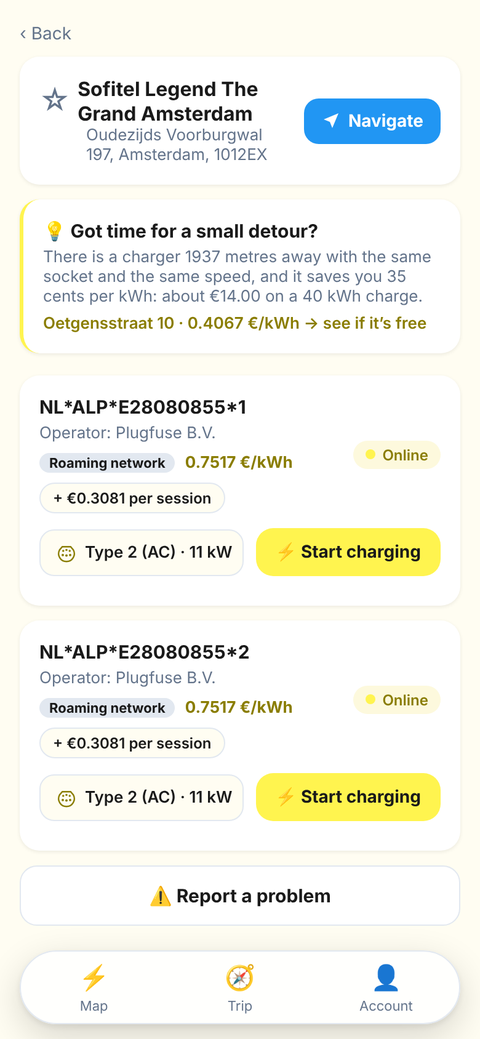
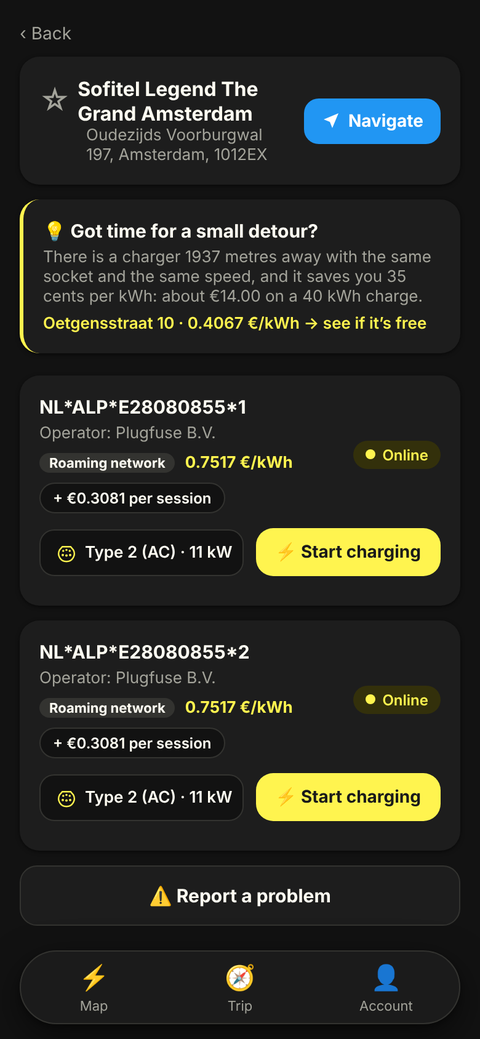
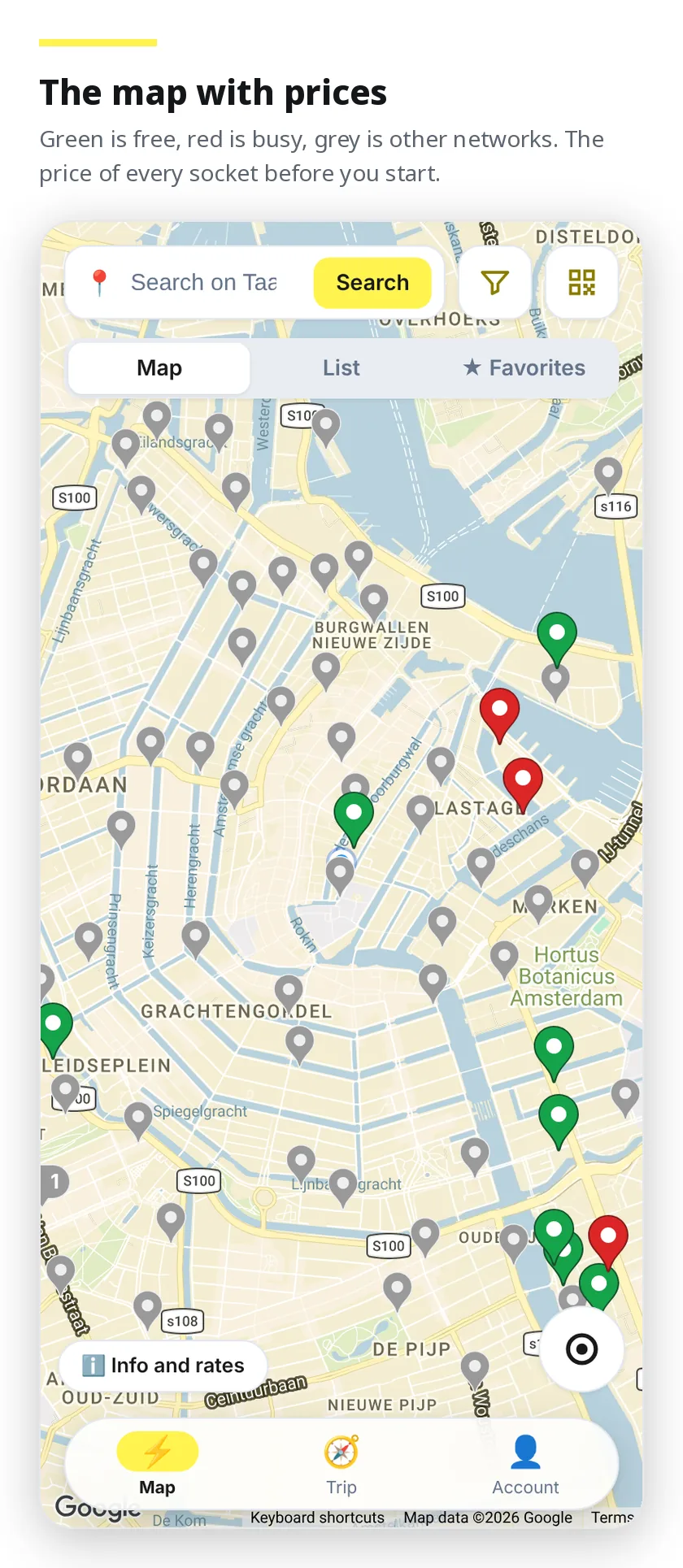
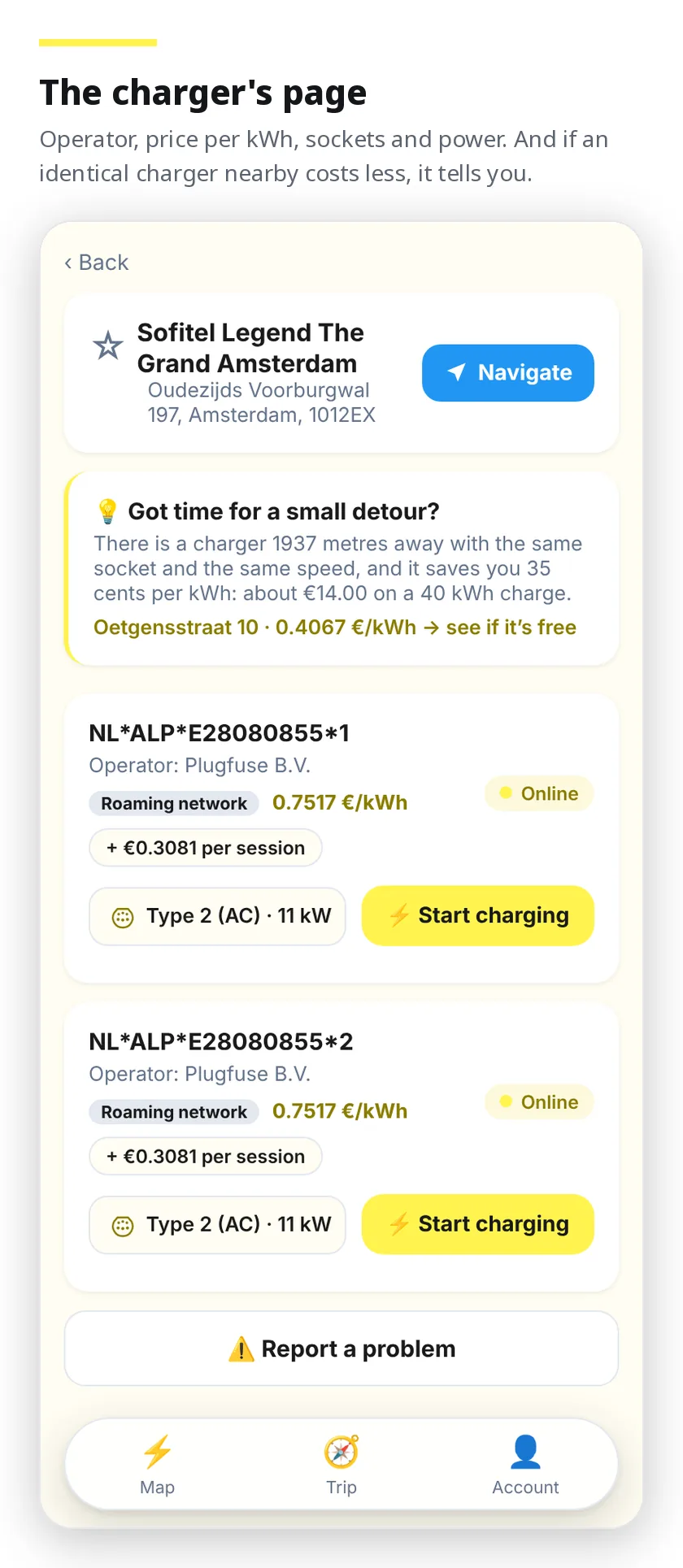
The map, the price and the booking
Live status, filters that stay as you left them, address search with the distance in metres, favourites under your own name, the price on every socket before you start, and the socket you can hold for fifteen minutes while you drive over. The whole journey, step by step, is on the other page.
Plan the trip, stops included
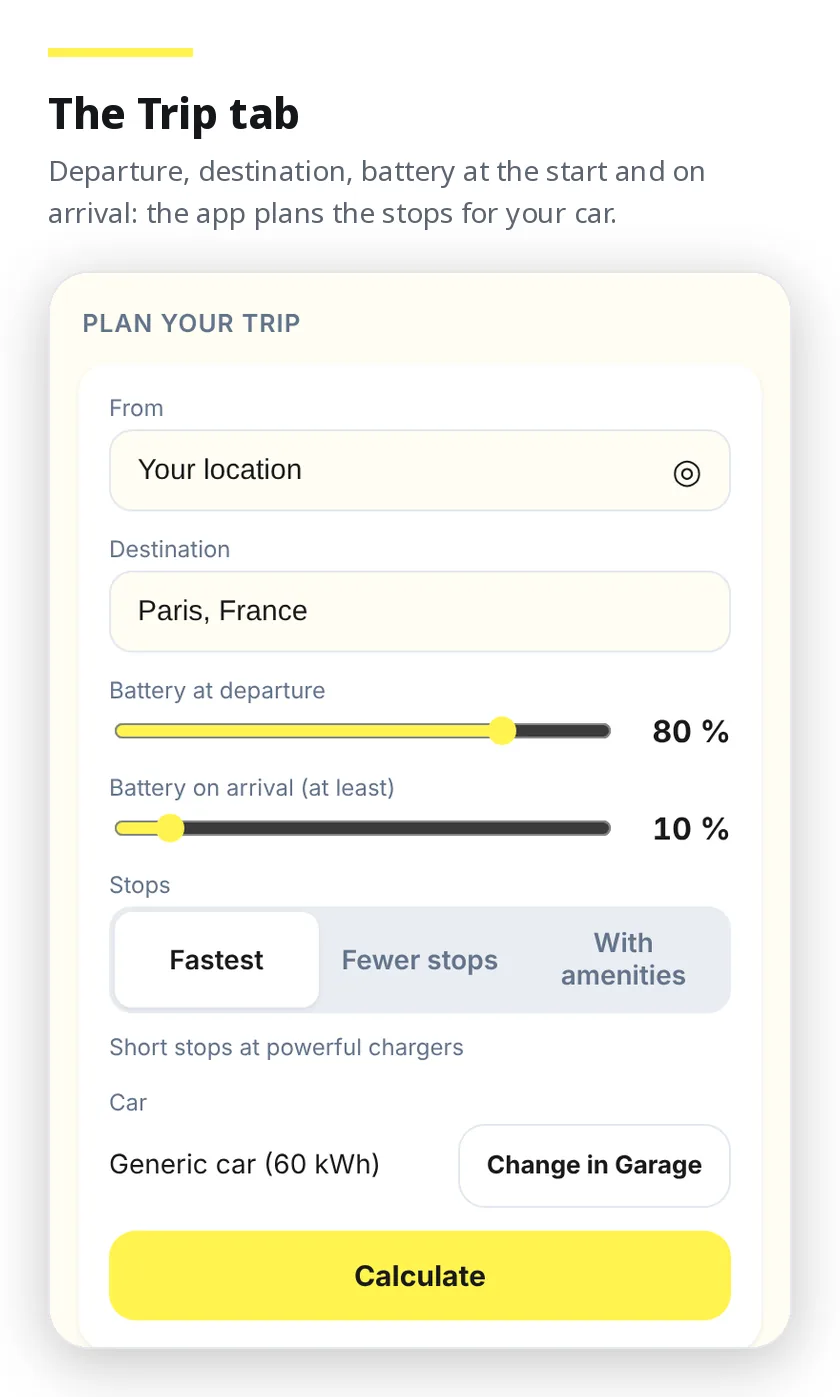
In the Trip tab you set where you leave from and where you are going, the battery you start with and the minimum you want on arrival, and the app plans the stops for you. Three ways to do it: Fastest, with short stops on powerful chargers; Fewer stops, charging more each time; With services, where there is a bar, a restaurant or shops. The car comes from the Garage, with its consumption and charging speed.
The stops are chosen among all the chargers we know — the roaming network, the Taac! network and OpenChargeMap points — and the plan that uses only chargers you can start from the app wins, unless another saves you more than ten minutes. You get driving time, charging time, number of stops, energy and estimated cost, and for every stop the battery on arrival and at departure, the minutes, the power and the price. From there you open the charger's page or start navigation, and you can send the whole route to Google Maps or, with a linked Tesla, to the car's navigator.
Times and costs are estimates: the charging time depends on the car's charging curve and on the temperature, and the price is known only for the chargers you can start with Taac!. In the browser it is already there; in the iPhone and Android apps it arrives with version 1.8.
A charger not working? Report it
On every charger's page, ours or roaming, there is Report a problem. You choose the sockets, the kind of problem — the charge does not start or stops, a damaged socket or cable, a dark screen or an error, a bay taken by a car that is not charging, or something else — add a note if you like and up to three photos. You need an account, so the operator knows the report is real.
The report goes by email to the technical contact of the charger's operator, as a notification from a Taac! customer: date and time, charger and sockets, the problem, the notes, whether you were on site and the photos — without your name or your email. You get a confirmation on screen and by email. It is a notification, not a repair request with a guaranteed time: the fix is up to the operator. For a problem with a payment or with a charge started through Taac!, write to us as always.
Across Europe, with the prices written down
Beyond the Taac! network you charge with other operators in twenty-five European countries — Italy included, and with Ionity's motorway fast charging in twenty-one of them. Today that is more than 23,000 stations and more than 95,000 sockets. The price is always the Taac! price, VAT included, and you find it written on the socket's page before you start. The price list, brand by brand and country by country, is public: it is on this site, not only inside the app.
Try it now
It opens in your browser with nothing to install, or you can download it from the stores.